Langfuse Cloud: Fast Preview
At a glance
Langfuse is now observations-first. Queries that used to require expensive joins now run an order of magnitude faster. This change was necessary to let Langfuse scale for agentic applications.
What changed: We move from traces and observations as separate entities to observations only. A trace ID remains a correlating identifier for a group of observations. Trace attributes (user_id, session_id, etc.) must be set on all observations for efficient queries and aggregations. Traces have no longer separate input and output.
How to adopt:
- SDK: Upgrade to Python SDK v4 / JS SDK v5. Replace trace update calls with
propagate_attributes(). - OTEL: Set the
x-langfuse-ingestion-version: 4HTTP header on your span exporter. Propagate trace attributes to all observations. See setup guide - UI: If your organization was created before April 14, 2026, 14:00 UTC (15:00 CET), enable the Preview toggle (bottom-left) to opt in. Organizations created on/after this cutoff are already on "Fast Preview" and do not see the toggle. Filter observations directly in the new unified table and create saved views for productive defaults. See saved views guide
- Evals: Migrate evals to the observation level. See evals migration guide)
Overview
Langfuse now delivers faster product performance at scale. Chart loading is much shorter, and browsing traces, users, and sessions is faster. The new Observations API v2 and Metrics API v2 query faster at scale. Observation-level evaluations now execute in seconds without a ClickHouse query per evaluation.
We will keep this page updated as we roll out additional related features and share OSS and self-hosted support updates.
This version of Langfuse (v4) introduces a single unified observations table where all inputs, outputs, and context attributes live directly on observations. See the guide on working with the observation-centric data model for before/after workflows and saved view setup.
Why observations-first?
As agentic applications grow more complex, a single trace can contain hundreds or thousands of operations — LLM calls, tool executions, retrieval steps, agent handoffs. The old traces table showed one row per request, which meant the operations engineers actually care about were hidden inside. With observations-first, you can directly query across all operations — start with the question ("which LLM calls are slow?") rather than the container ("which trace has a slow call somewhere inside it?").
Preview access and rollout timeline
| Organization creation date (Langfuse Cloud) | Fast Preview default | "Preview" toggle visibility |
|---|---|---|
| Before April 14, 2026, 14:00 UTC (15:00 CET) | Optional | Visible (you can switch on/off) |
| On/after April 14, 2026, 14:00 UTC (15:00 CET) | Enabled by default | Hidden (already on Fast Preview) |
If you signed up recently and do not see the toggle, your organization is already on the new experience by default. For organizations created before the cutoff date, the "Preview" toggle is available in the bottom-left corner of the UI to opt in to "Fast Preview".
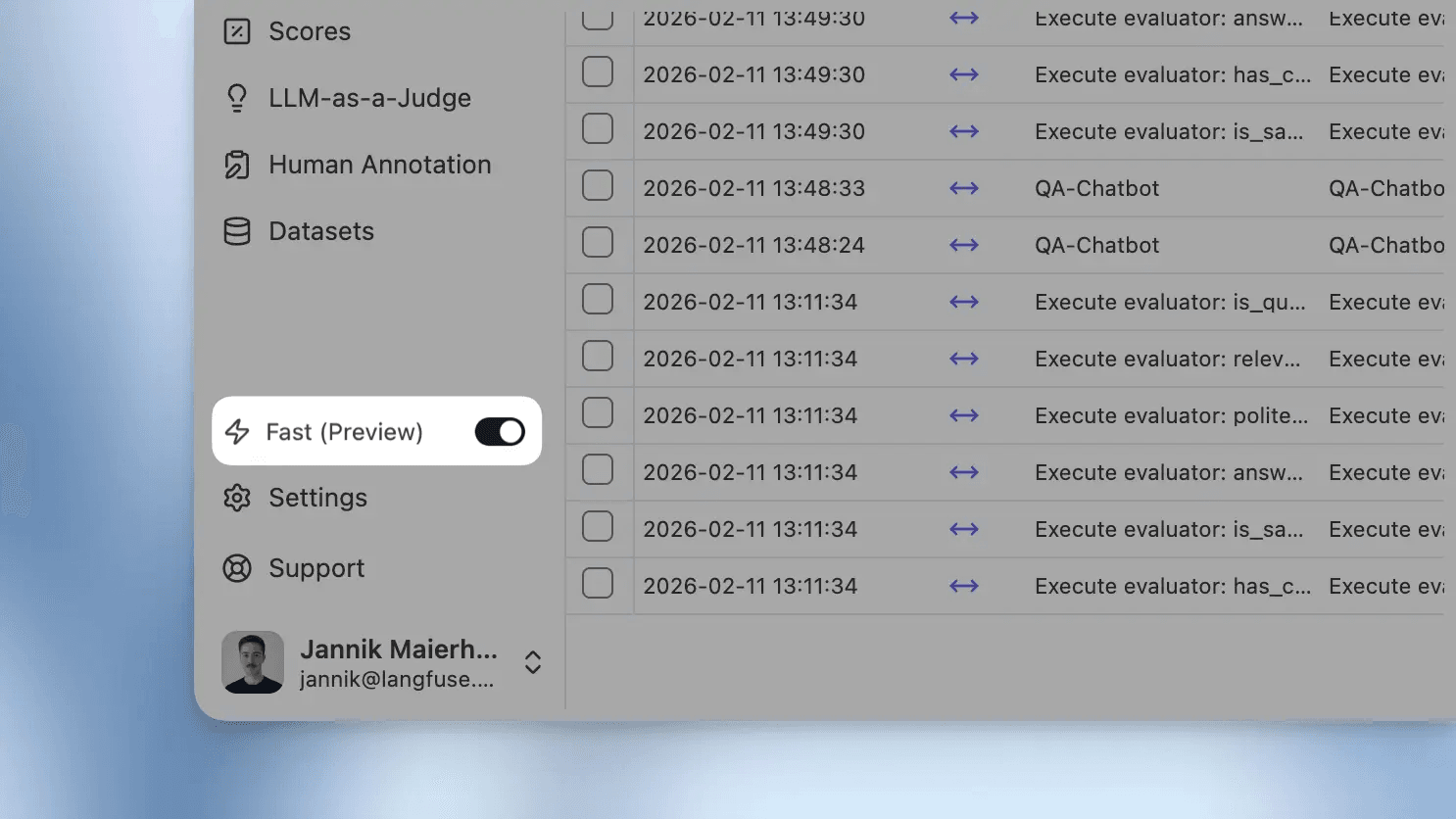
The toggle remains reversible for organizations created before the cutoff date.
Data from SDKs langfuse-js < 5.0.0, langfuse-python < 4.0.0, or direct OpenTelemetry exporters that do not send x-langfuse-ingestion-version: 4 can be delayed by up to 10 minutes in the new UI. Upgrade to the latest SDKs or set that header on your OTEL span exporter to see new data in real time.
Migrate to the new experience
Use a compatible ingestion path
To take advantage of the new data model and explore your data in real time, use one of these ingestion paths:
- Python SDK: v4 (migration guide)
- JS/TS SDK: v5 (migration guide)
- Direct OpenTelemetry ingestion: set
x-langfuse-ingestion-version: 4on your OTEL span exporter (OpenTelemetry setup)
For SDK users, the key change is that update_current_trace() and updateActiveTrace() are replaced by propagate_attributes(), which automatically pushes attributes like user_id, session_id, metadata, and tags to all child observations.
Optional: Migrate LLM-as-a-judge evaluations
Upgrade your LLM-as-a-judge evaluations to run at the observation level instead of the trace level for significantly faster execution. Learn more in the LLM-as-a-judge migration guide.
Optional: Adopt new observations and metrics API endpoints
The Observations API v2 and Metrics API v2 deliver significant performance improvements through the new data model:
- Selective field retrieval: Request only the field groups you need instead of full rows.
- Cursor-based pagination: Consistent performance regardless of result set size.
- Optimized querying: Built on the new immutable events table with no joins required.
See the v2 APIs announcement for migration guidance and a detailed feature comparison.
What's faster now
Faster product performance in the UI
Chart loading time is significantly shorter. You can now confidently load charts over large time ranges. Browsing traces, users, and sessions is also much faster, and filters respond more quickly in large projects. Learn more about the new unified tracing table in the UI.
Faster API workflows
The new Observations API v2 and Metrics API v2 are designed for faster querying and aggregations at scale.
Faster evaluation workflows
Observation-level evaluations execute in seconds as we do not need to query ClickHouse for each evaluation anymore.
Under the hood
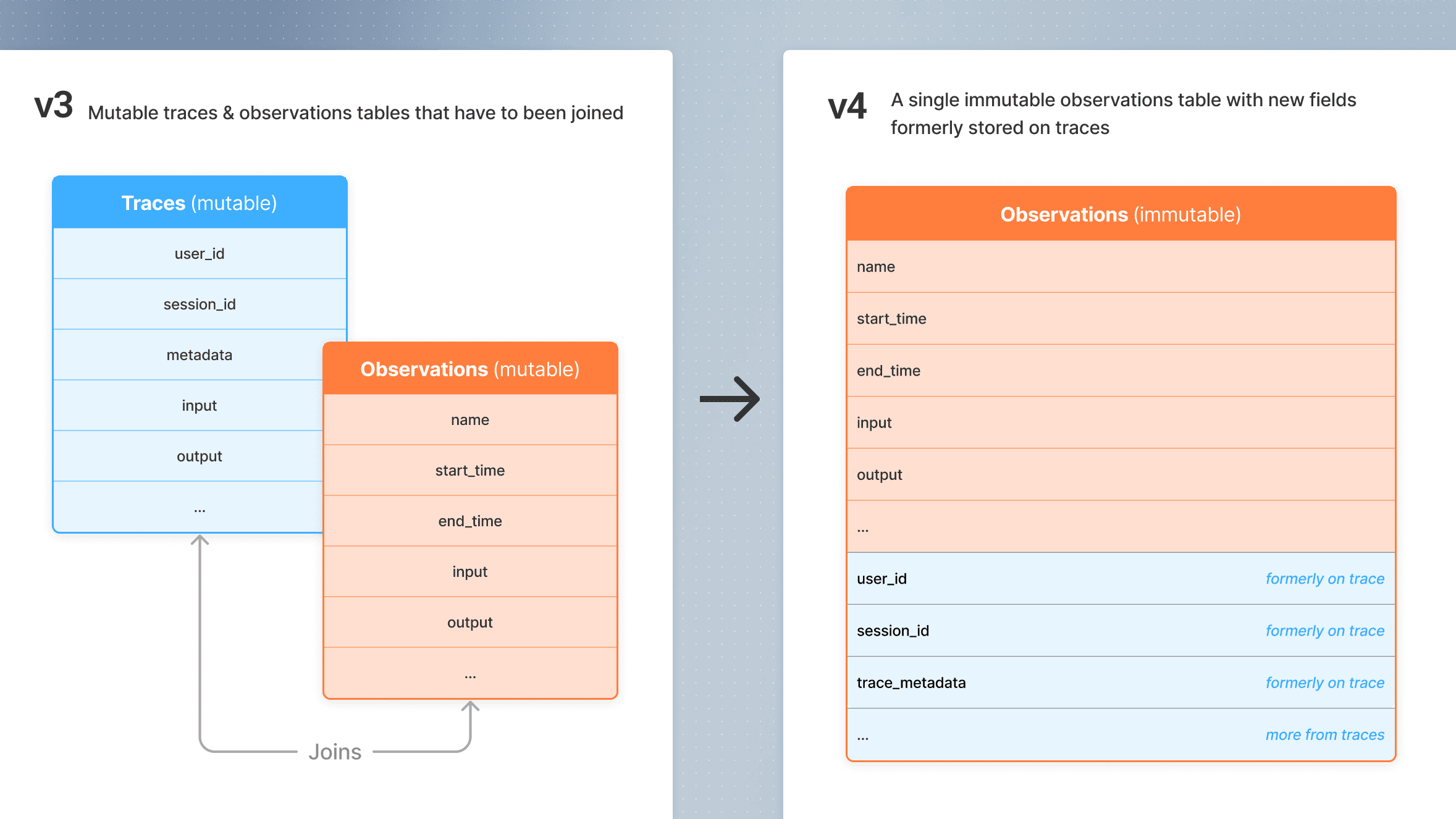
This preview is powered by a simplified observation-centric data model. Trace-level attributes such as user_id, session_id, and metadata now propagate automatically to observations, which helps remove expensive joins and keep the product fast at larger scale. Learn more in the data model docs and Explore Observations.
OSS and self-hosting
This preview is currently available on Langfuse Cloud. We are working on the migration path for OSS deployments and will share updates here, in the changelog, and in the dedicated GitHub Discussion as they become available.
Questions on "Fast Preview"?
If you have questions about the rollout, migration steps, SDK upgrades, or anything unclear in the new experience, please ask them in the dedicated GitHub Discussion. We will use that thread for rollout updates and answers.


